Architecture Overview
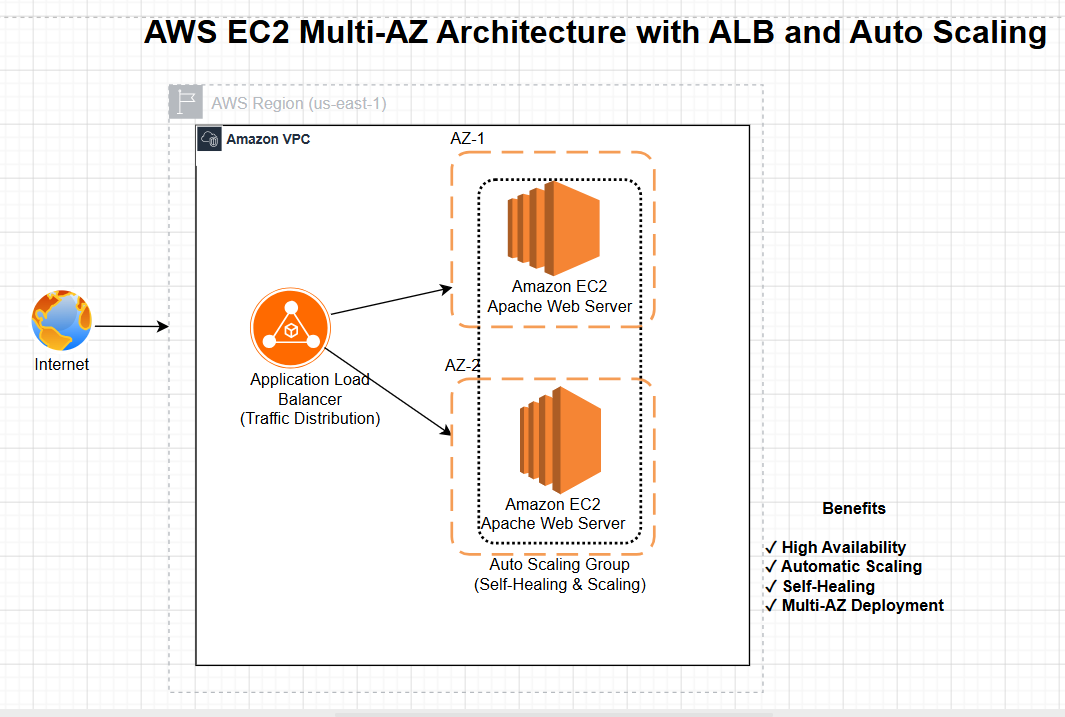
Designed and deployed a highly available web application architecture using Amazon EC2, Application Load Balancer, Auto Scaling Group, and Multi-AZ deployment.
This project demonstrates how to build a scalable and fault-tolerant web application on AWS. The application was deployed across multiple Availability Zones using an Auto Scaling Group and served through an Application Load Balancer.
The goal of this project was to understand real-world cloud architecture concepts such as high availability, load balancing, self-healing infrastructure, health checks, and automated instance replacement.
Used to host the web application on Linux-based virtual servers.
Distributed incoming traffic across healthy EC2 instances.
Automatically maintained the desired number of EC2 instances.
Improved availability by deploying instances across multiple Availability Zones.
Controlled inbound and outbound traffic for EC2 instances and the load balancer.
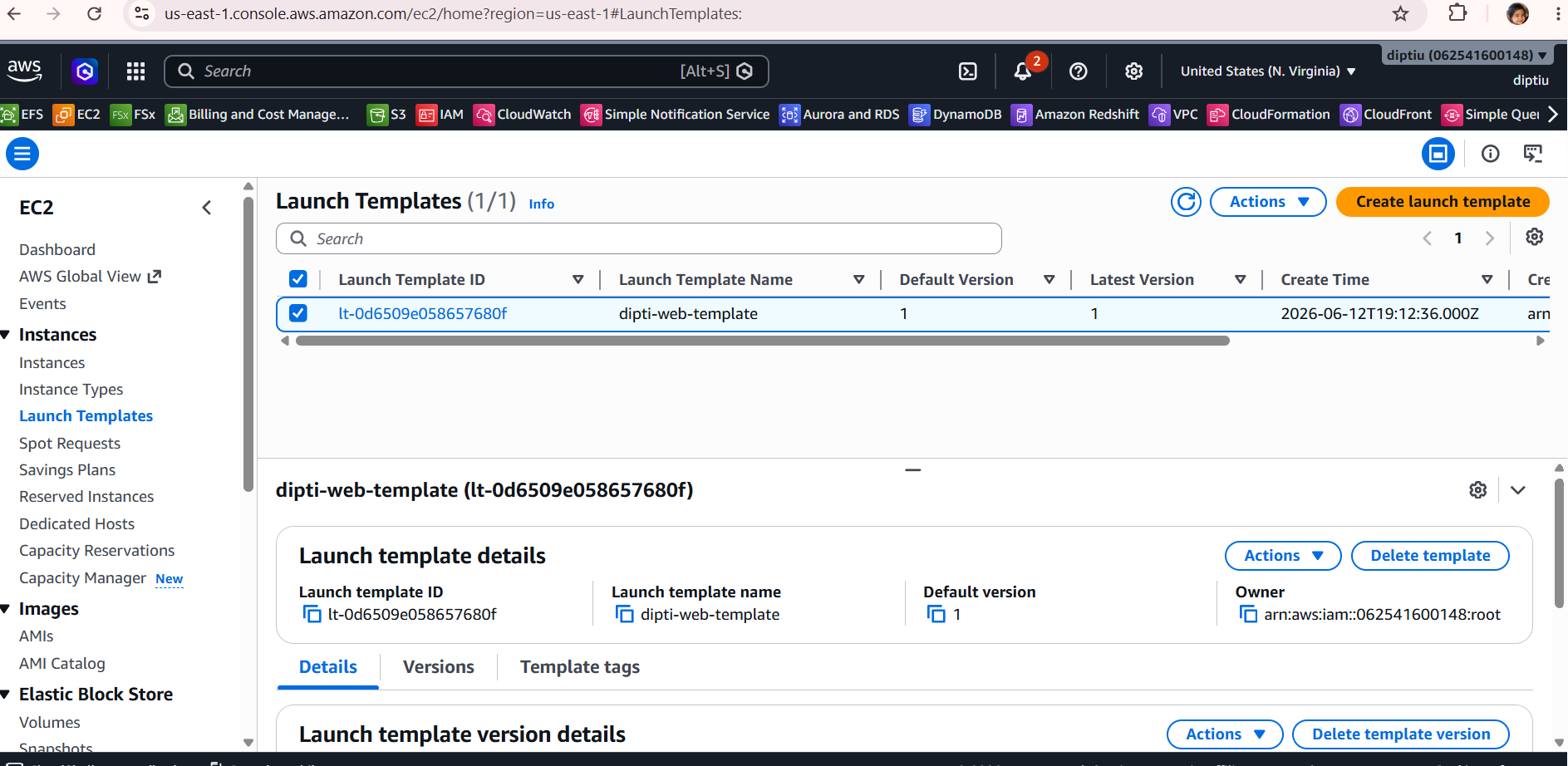
Defined instance configuration including AMI, instance type, security group, and user data.
Created an EC2 Launch Template using Amazon Linux 2, a security group, and user data to automatically install and start the Apache web server.
Allowed HTTP traffic on port 80 for web access and restricted SSH access on port 22 to my IP address for secure administration.
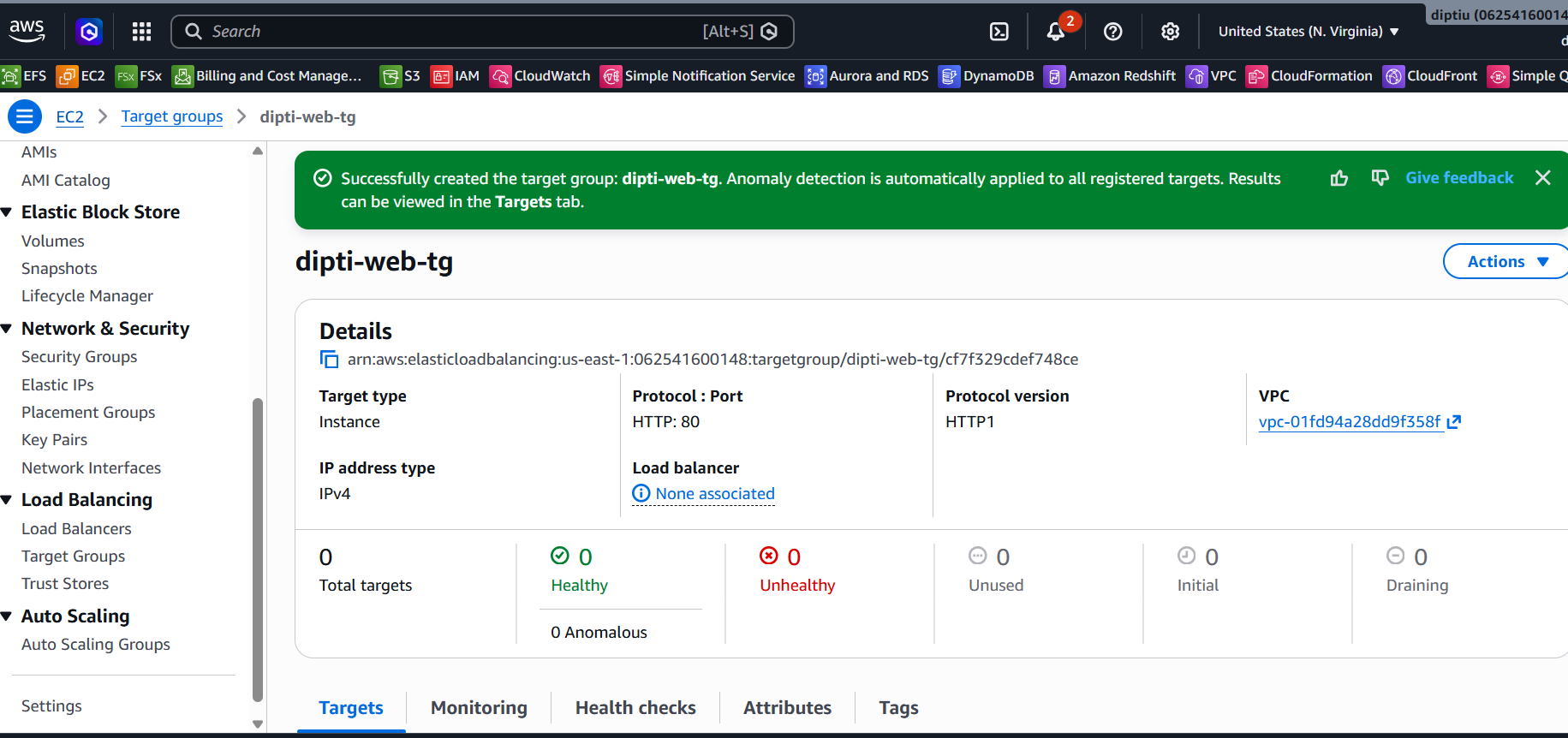
Created a target group to register EC2 instances and monitor their health using load balancer health checks.
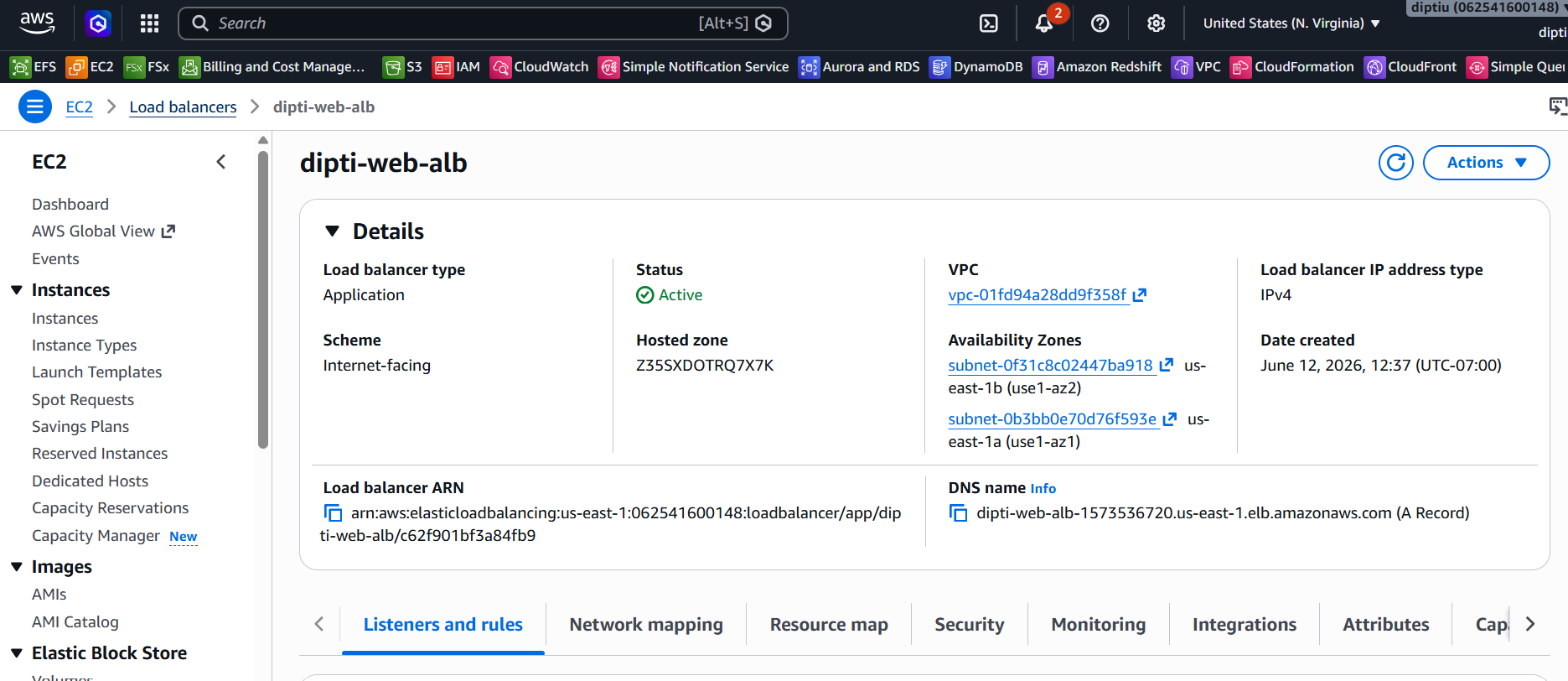
Configured an internet-facing Application Load Balancer to distribute user traffic across healthy EC2 instances.
Created an Auto Scaling Group across two Availability Zones with a desired capacity of two instances to support high availability.
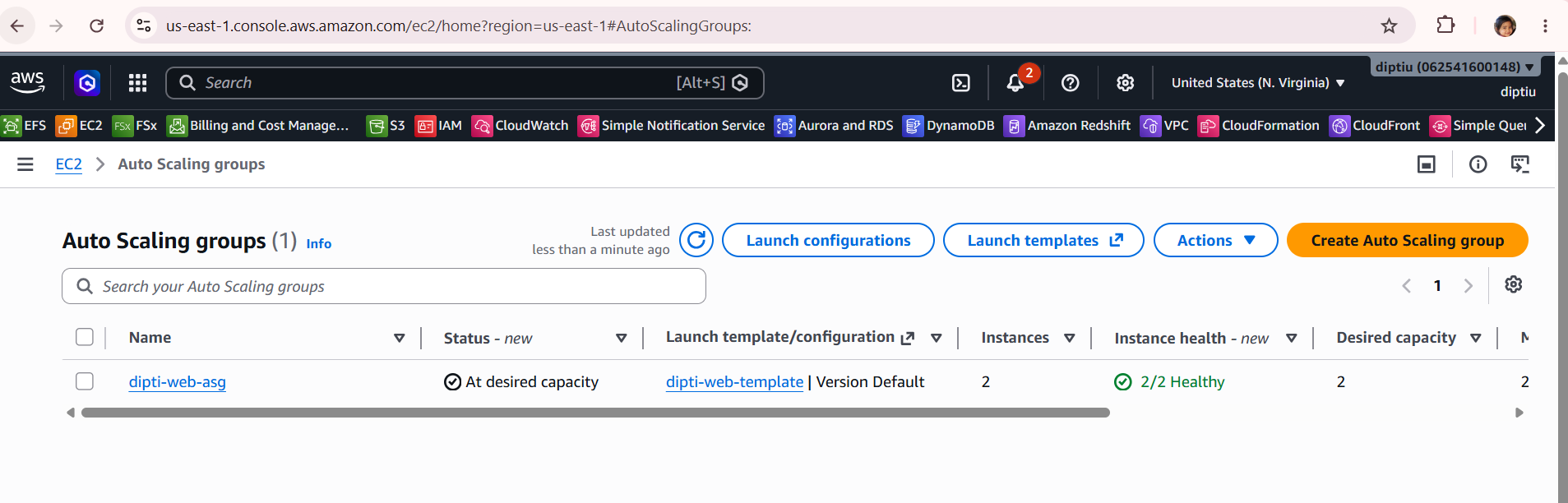
Terminated one EC2 instance manually and verified that the Auto Scaling Group automatically launched a replacement instance.
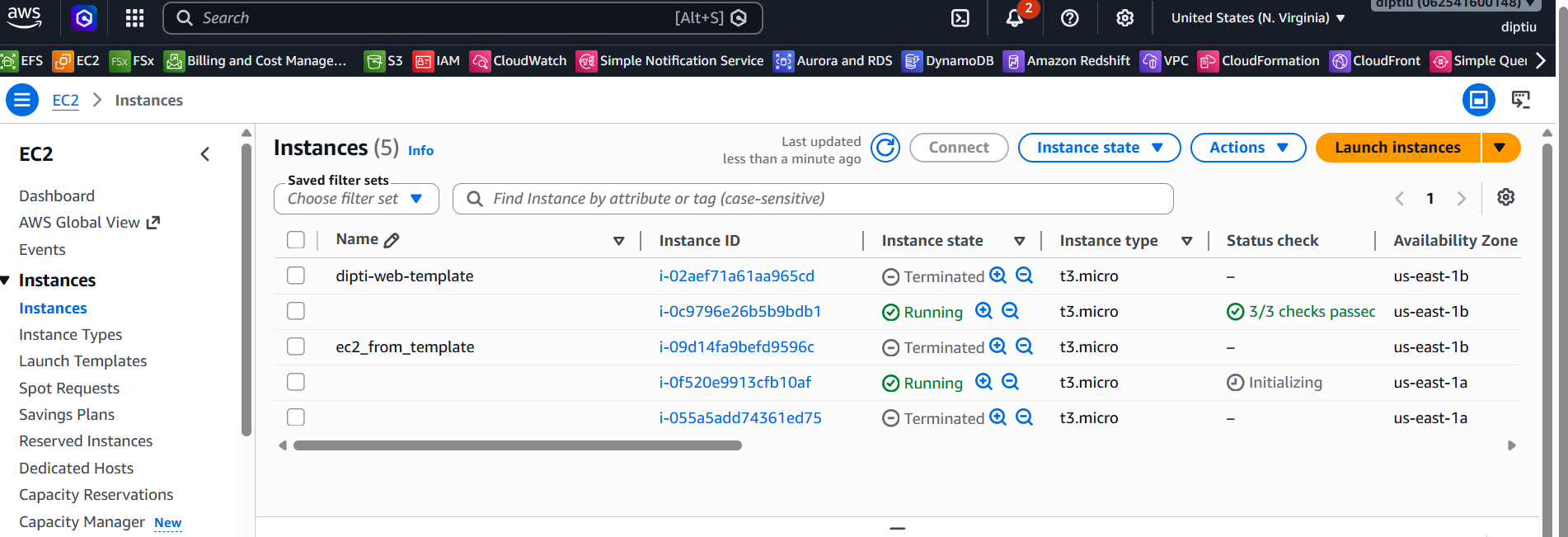
The application was deployed across multiple Availability Zones.
The ALB successfully routed traffic to healthy backend instances.
Auto Scaling automatically replaced terminated EC2 instances.
This project strengthened practical understanding of AWS scalable design.
Download the complete implementation guide, architecture details,validation testing, and troubleshooting steps.